

Flip the story
Structured stat grids with tooltips on the metrics that need context — without leaving the card.
2026 MLB season · Dark mode · Real screenshots
BigScore'26 pairs a fast live scoreboard with glassy player cards, a Strike Zone Lab for pitch truth, and schedule & lineups that stay on-brand with the same neon‑accent, stadium‑night aesthetic you see here.
Actual BigScore'26 screenshots from the app — not a mock.
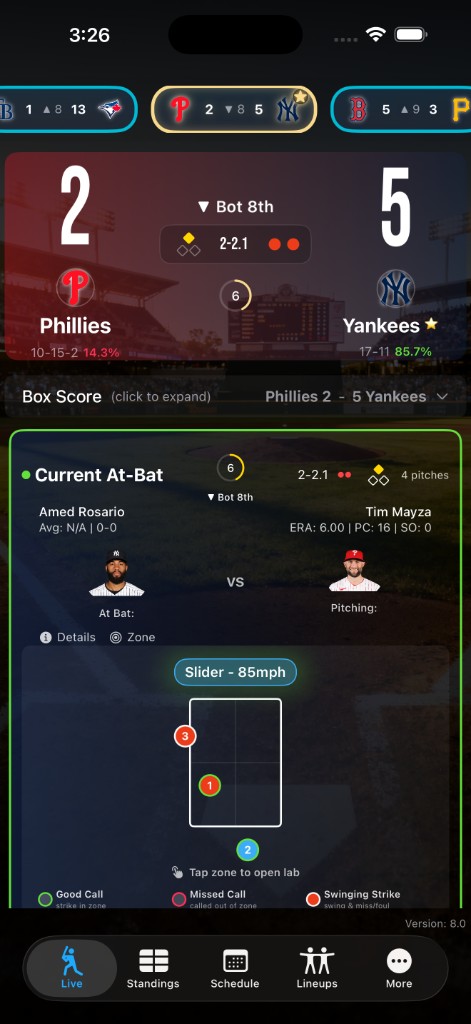
Favorite your team — tap any team logo to set your Favorite and you’ll get the Gold Star Favorite badge. Your pick shows up gold‑ringed on the live carousel. That team stays your Favorite until you pick another — the next time you open BigScore'26, you’re still right there with them. From there, read win probability and follow the count while the pitch map updates pitch to pitch.
The live carousel pulls together a scrollable score ribbon, a stadium‑lit scoreboard card, and a current at‑bat strip with the strike zone — the same bright green the app uses so “right now” never gets lost.
Dive deeper than the broadcast. Tabs for the current at‑bat, recent pitches, and full location sets — plotted on a live field plate view with numbered pitch markers and a speed / type ribbon.
Two‑strike fouls are counted the way fans actually talk about them — finally. BigScore'26 counts them as sub‑strikes, so a count like 2‑2.1 shows up on the scoreboard card and in the lab and tells you exactly how many fouls have stacked up since strike two.
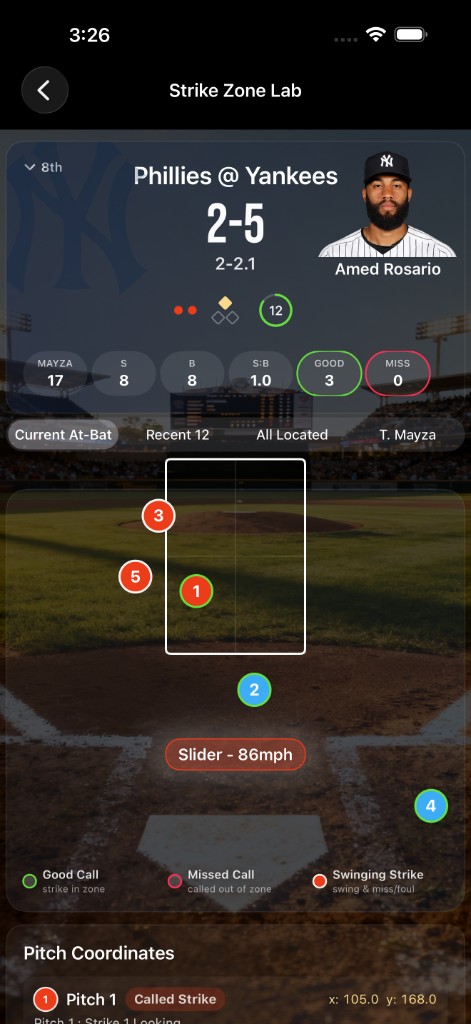
See each pitch on the field, numbered in order, with speed and pitch type called out — so when a borderline strike goes the other way, you know what you’re looking at.
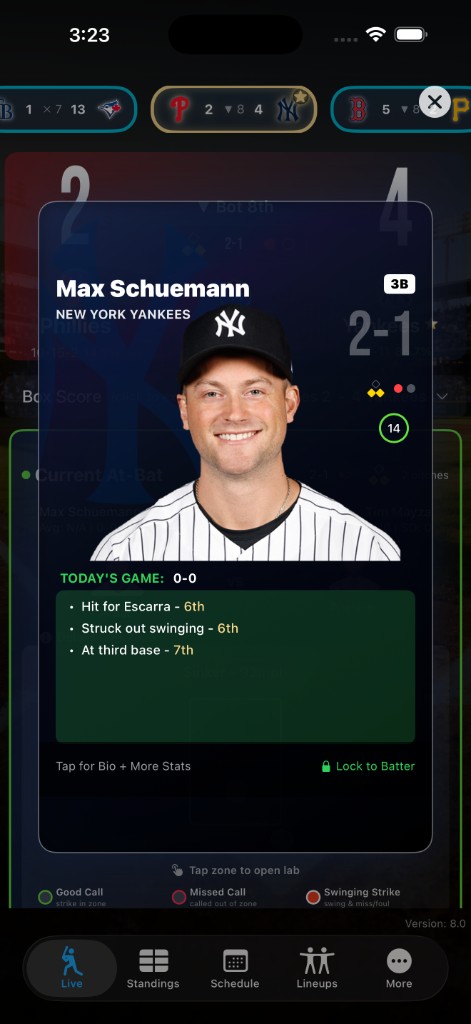
Tap a batter or pitcher and get a full screen card: portrait, team context, season & career tiles, and live “today” lines when the game is going. Glass layers, gold section headers, and the same dark graphite base as the rest of the app.
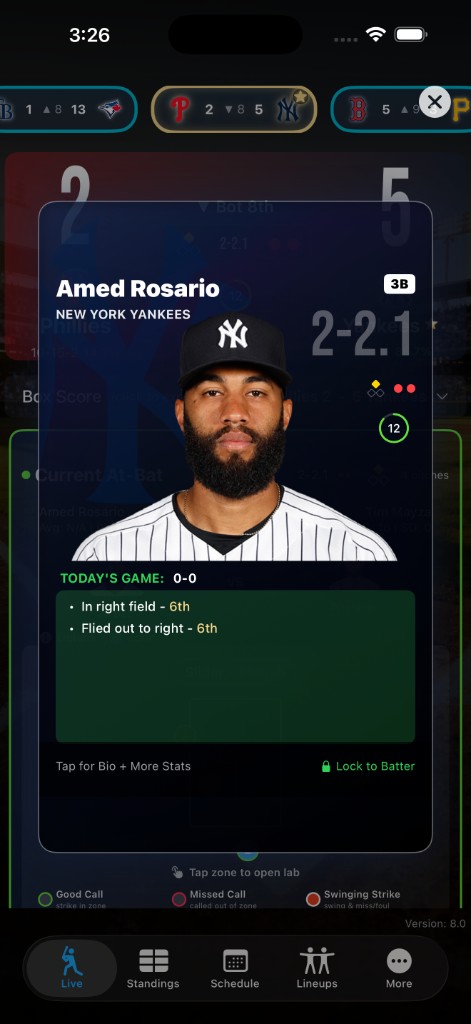
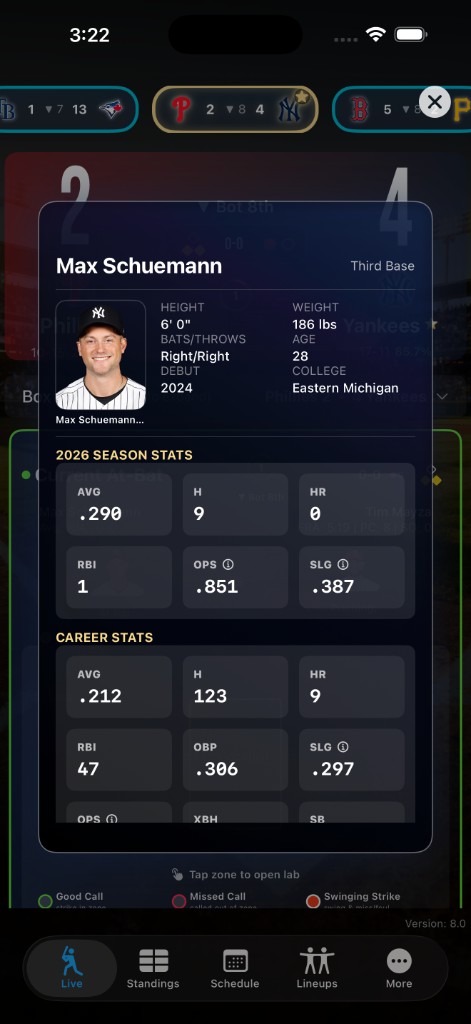
Structured stat grids with tooltips on the metrics that need context — without leaving the card.
Today’s game panel calls out what already happened this afternoon — not just career averages.
Cards pick up team energy with gradients that match the jersey story — pitcher sheets lean into their palette.
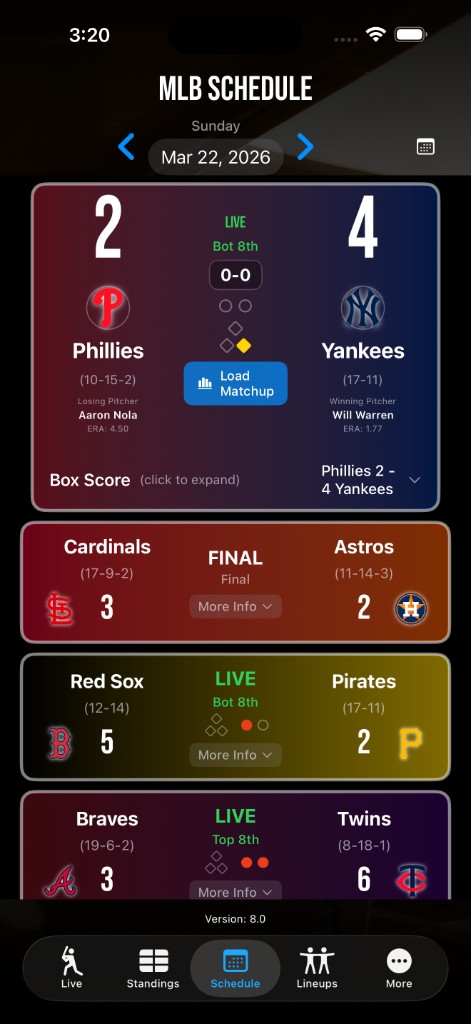
Pick a date, scrub the slate, and load a matchup when you are ready to go deep.
The MLB schedule view uses gradient game cards that blend team colors, live/final chips, and quick actions like Load Matchup. Jump a day at a time with the chevrons or open the calendar when you are planning a road trip week.
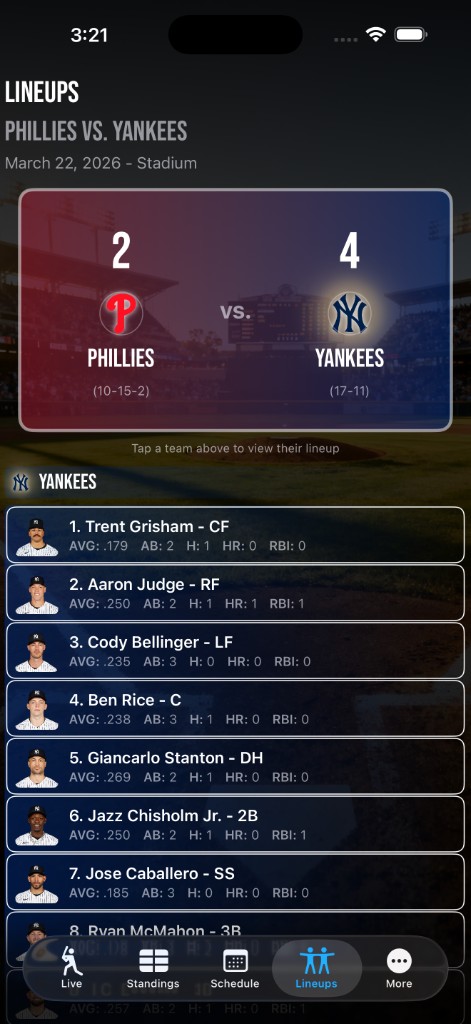
Split scoreboard header, tap‑to‑flip between dugouts, and roster rows with AVG / AB / HR / RBI in a tight second line — exactly how you scan a broadcast graphic, only faster.
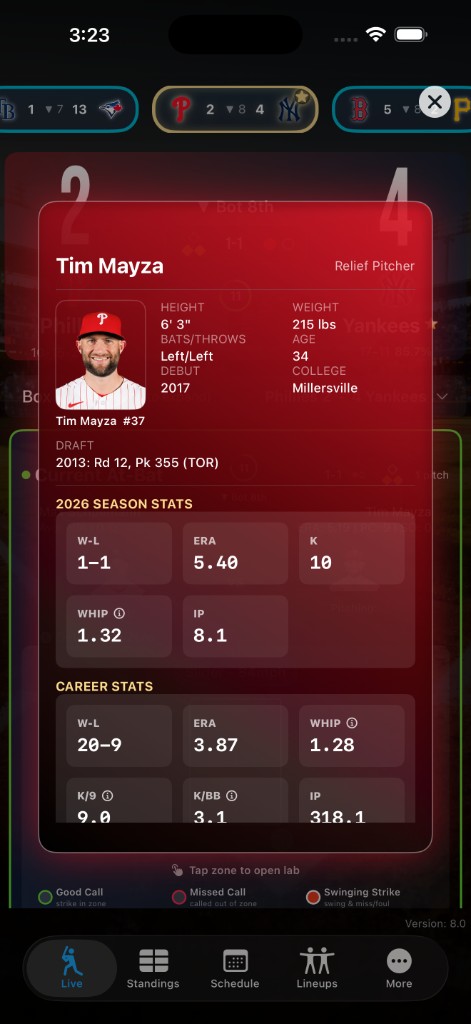
Stadium wash in the back, sharp type in the front — readable under sunlight or lights.
When the game goes final, BigScore'26 keeps the night from turning into a blur. You get the full box score and completed pitcher lines right next to the scoreboard — the kind of inning‑by‑inning lines and bold numbers you expect when you’re settling bets on the ride home.
The Game Recap is the long story: every at‑bat laid out so you can relive every pitch and every play — outs, hits, and the runs that moved the line.
Wondering about the crew? Open Umpire accuracy for a dedicated Umpire Scorecard — how often the calls matched the zone, what got missed, and where the strike zone liked to live. Fair warning: you might not always love what you see — just blame math!
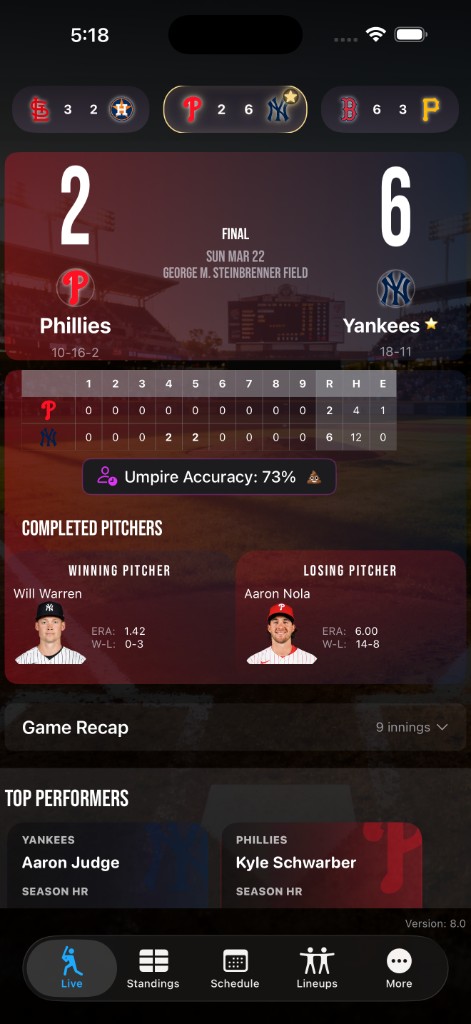
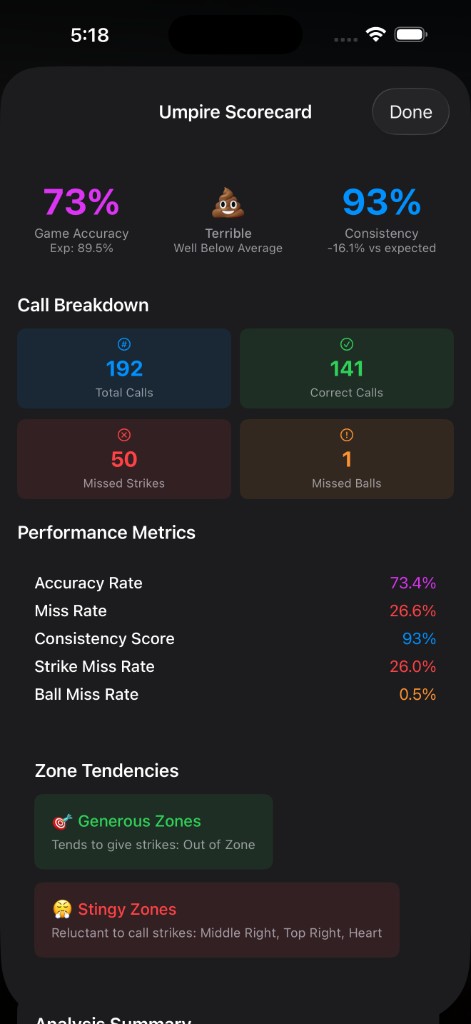
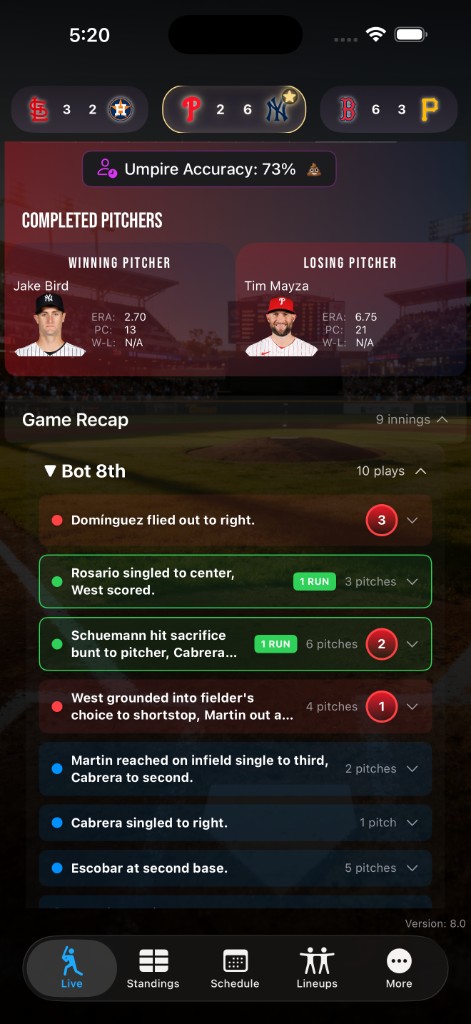
Screens from the app — schedule, lab, live action, cards, lineups, and postgame — so you can see the same look from the first pitch to the last call.

To join the limited-time public beta, just click the link below and follow the directions—play ball!
Join the Beta